If you want to download Instagram videos to save, watch offline, or use for learning and editing, you’ll notice Instagram doesn’t allow direct downloads. No worries — in this guide, MKT Software Global will show you How to Download Instagram Reels in the simplest way on both phones and computers, ensuring speed, safety, and high quality.
I. Why you should download instagram reels
Downloading Instagram videos without a watermark helps you optimize content, repurpose it easily, and keep your marketing activities smooth and consistent. Here’s why downloading clean, watermark-free videos to your computer is beneficial:

Key advantages:
• Original quality retained: No watermark covering the video, keeping everything sharp and attractive.
• Easy to share and repurpose: Perfect for reposting across multiple platforms without being “flagged” by a visible logo.
• Professional brand image: Clean content reflects professionalism and effort.
• Higher engagement & reach: Clean videos often perform better in marketing campaigns.
• Time-saving: No need to manually remove watermarks — saves hours daily.
• Offline viewing & long-term storage: Access your videos anytime without depending on internet connection.
Tip: Watermark-free videos make repurposing and cross-platform marketing easier without violating platform rules.
II. How to download instagram reels on a computer
Using a computer is faster, more convenient, and ideal when you need to download multiple videos at once. How to download instagram reels on a computer.

1. Using online instagram video download websites
This method is similar to using your phone, but downloading on a laptop or PC is faster and more stable. Since Instagram currently doesn’t allow direct video downloads, you can use trusted online tools to get the video you need.
Steps:
Step 1: Open Instagram on your computer → choose the Reel you want → click the three-dot icon in the top-right corner → select Copy Link.

Step 2: Go to one of these sites: IG1S, SnapInsta, SaveInsta, DownloadGram.
Step 3: Paste the link → click Download Video.
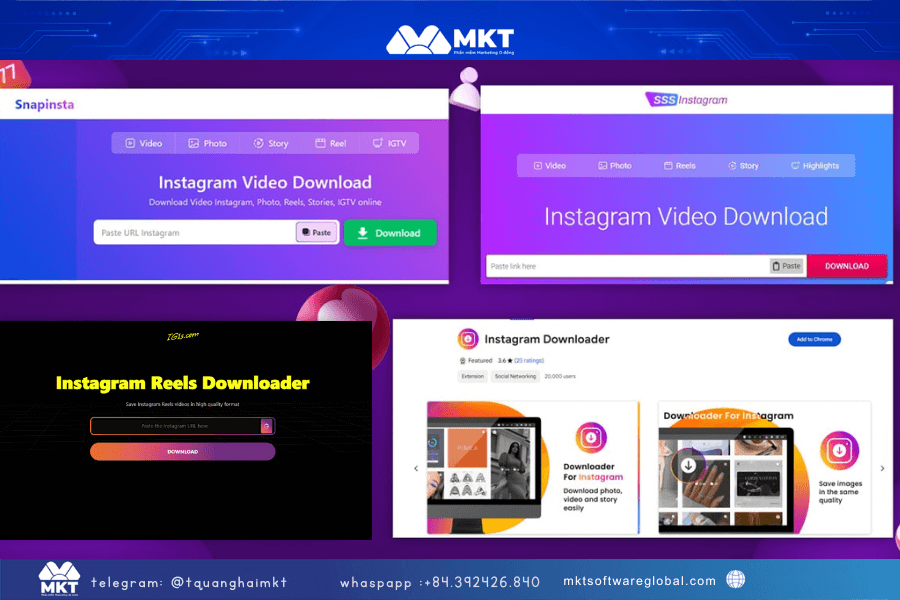
Step 4: The video preview will appear → click Download to save it to your device.
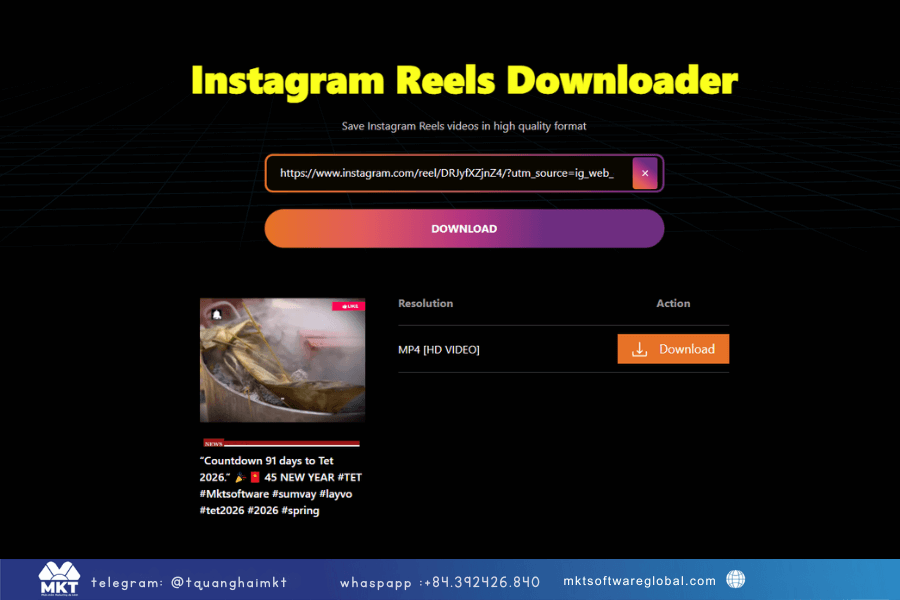
Pros:
• Free, fast, no login required.
• Great for downloading individual videos via link.
Cons:
• Not suitable for mass downloading.
• Quality may vary depending on the source.
• Ads can sometimes interrupt the process.
• No batch editing features (cutting, merging, adding logo/music…)
Pro tip: If one site fails, try another. Use modern browsers (Chrome/Edge/Brave) and clear cache if the site freezes.
2. Download instagram reels using MKT Viral software
MKT Viral is an automation tool designed for short-form video platforms including TikTok, YouTube Shorts, Facebook Reels, Instagram Reels, and Douyin. It supports watermark-free downloading, batch editing, special effects, and automated video processing — ideal for personal branding and marketing teams.

Highlight features:
• Watermark-free downloads from multiple platforms.
• Automatic scanning & re-uploading (reup) by keyword or username.
• Batch editing: cut, merge, auto-add background music, effects, transitions.
• Auto engagement features: like, comment, share.
• Manage multiple social accounts.
• Build a complete Reels/Shorts video library for branding.
How to download Instagram videos using MKT Viral:
Step 1: Install and log in to the software. (If you don’t have it yet, contact me — I’ll set it up for you.)
Step 2: Go to Scanning Function → Load → Instagram → choose scan by username or keywords → select number of videos → click Scan.

Step 3: After scanning, the software displays a list of video links → select the videos → set the number of download threads depending on your computer specs.

Step 4: Choose your destination folder → click Start.
Videos will be downloaded automatically.
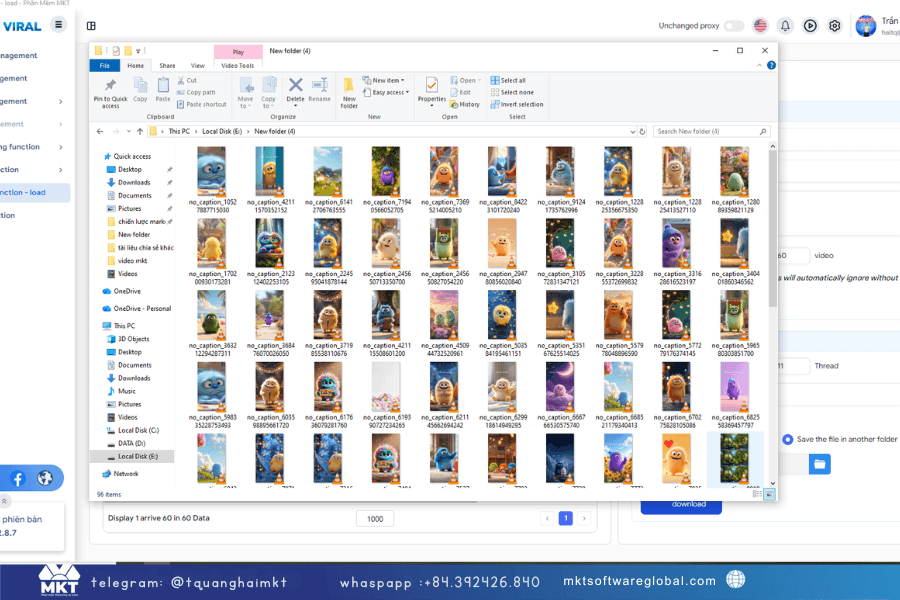
After downloading, you can:
• Cut/merge videos and add music automatically using templates.
• Add effects or transitions to match your brand style.
• Insert logo/watermark.
• Export videos in multiple aspect ratios (9:16, 1:1, 16:9).
Why Mkt Viral stands out:
• Mass download Instagram Reels with no watermark.
• Fully automates sourcing → downloading → editing → exporting.
• Ideal for marketing teams, creators, and business owners who need to scale content production.
Important notes:
• Always respect copyright and Instagram’s Terms of Use.
• When reuploading content for marketing, always modify it (cut, voice-over, add insights…) instead of posting the raw version.
3. Video tutorial on how to use viral mkt software to download videos in bulk
To help you easily get acquainted and effectively use the automatic Instagram video download feature, MKT viral provides detailed video instructions. In the video, you will be guided step by step:
Conclude
If you only need to download a few Instagram Reels for offline viewing, online tools like IG1S, SnapInsta, SaveInsta, or DownloadGram are more than enough.
But if your goal is mass downloading, preserving quality, removing watermarks, batch editing, and preparing videos for marketing, then MKT Viral is the superior choice — scan by keyword/username, download in parallel threads, edit in bulk, and export in a perfectly optimized format for all platforms.
If you want to accelerate your short-form content production, save time, and maintain consistent branding, MKT Viral is exactly the tool you need.