Want to streamline your Facebook marketing strategy and expand your audience reach? Posting in multiple Facebook groups at once is a powerful way to increase engagement, promote your products, and grow your brand efficiently. However, doing this manually can be time-consuming and ineffective.
Discover how to post in multiple Facebook groups at once efficiently with mktsoftwareglobal.com , a powerful tool designed to save time and maximize engagement.
I.Why Post in Multiple Facebook Groups Is Essential for Marketing
Using Facebook groups for marketing offers several advantages that can significantly boost your brand visibility and increase engagement.

Key Benefits of Posting in Multiple Facebook Groups:
- ✔ Wider Reach – Posting across multiple groups increases your chances of reaching a larger audience.
- ✔ Enhanced Brand Awareness – Frequent exposure across groups ensures your brand remains top-of-mind.
- ✔ Builds Trust and Credibility – Sharing valuable content in relevant groups helps establish you as an authority in your niche.
- ✔ Networking and Community Building – Engaging with group members fosters meaningful relationships and potential collaborations.
- ✔ Promotes Products and Services – Targeted group posting helps drive sales by reaching potential customers directly.
II. Best Ways to Post in Multiple Facebook Groups at Once
Manually posting in individual groups is both time-consuming and inefficient. That’s why automation tools like mktsoftwareglobal provide a streamlined approach to post in multiple Facebook groups at once, allowing you to save time and improve engagement.
1. MKT Post – The Ultimate Facebook Group Posting Tool
MKT Post is a powerful automation tool designed to help businesses schedule and manage Facebook posts efficiently.
Top Features of MKT Post:

- 🚀 Automated Group Posting – Publish posts and updates across multiple groups at once.
- 💡 Post Without Joining Groups – Reach new audiences without being a group member.
- 🔄 Content Spinning – Prevent spam detection by automatically modifying content before posting.
- 🔍 Automated Group Search – Find high-quality groups using keywords, UIDs, and profiles.
- 📈 Boosted Visibility – Get your posts seen by targeted audiences for better engagement.
- 🔗 Multi-Channel Support – Manage group posting across Facebook Pages, personal profiles, and groups.
How to Post in Multiple Facebook Groups Using MKT Post at Once :
✅ Step 1: Log in to MKT Post → Select Profile → Choose Post
✅ Step 2: Adjust post settings → Choose categories → Click Start
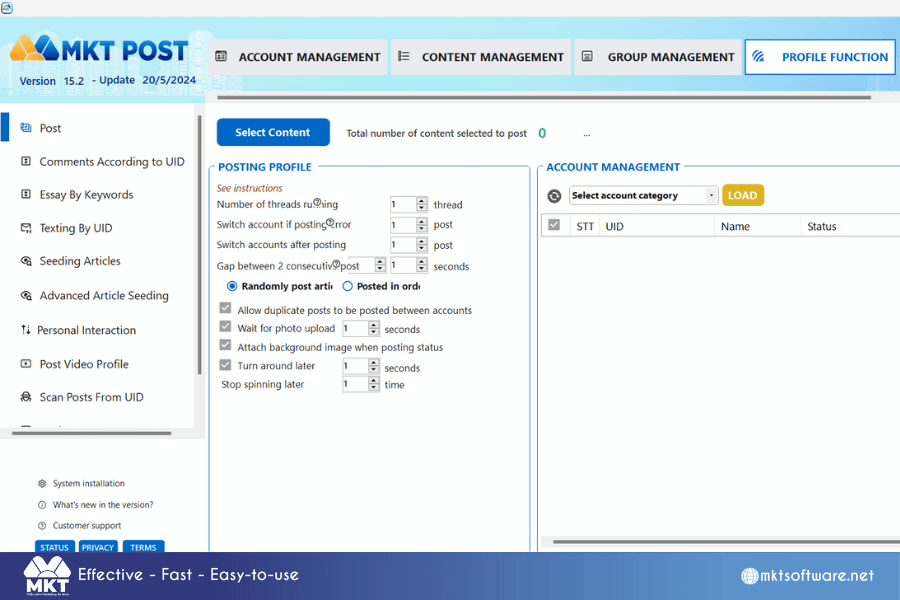
📌 MKT Post is the easiest way to automate Facebook group posting and reach more potential customers without extra effort!
2.MKT Group – The Best Facebook Group Management Tool
If you’re looking for an all-in-one solution for managing and posting in Facebook groups, MKT Group is the answer.
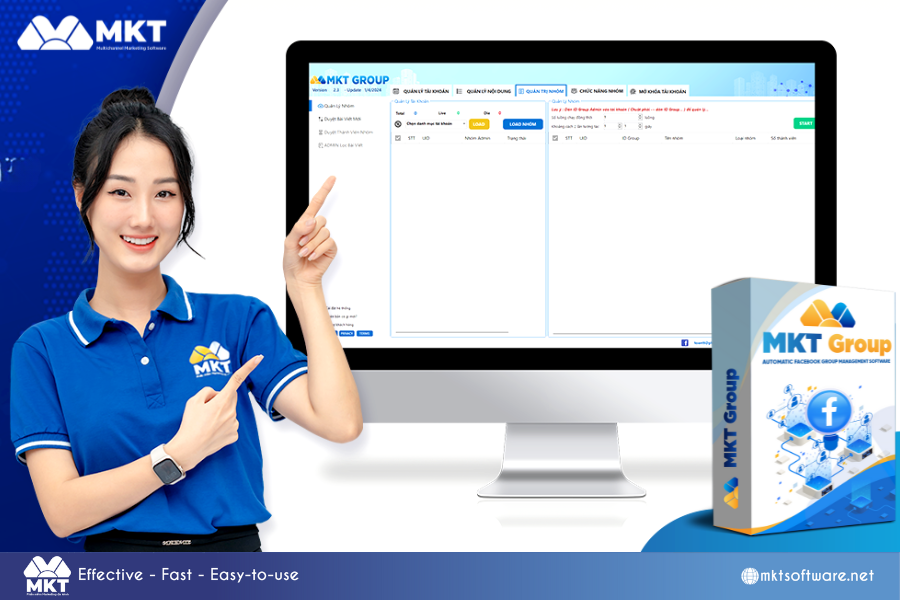
Key Features of MKT Group:
- ✔ Automated Group Posting – Schedule and publish posts based on predefined scripts.
- ✔ Post by Group ID – Target specific groups using unique Facebook group IDs.
- ✔ Content Curation – Automatically fetch and repost content from personal profiles, Pages, and other groups.
- ✔ Advanced Group Management – Approve members automatically, filter spam, and manage content effortlessly.
- ✔ Authentic Engagement – Like, comment, and interact in groups as a real user.
How to Post in Multiple Facebook Groups At once Using MKT Group:
✅ Step 1: Log in to MKT Group → Select Group Posting
✅ Step 2: Set up configurations and choose group posting settings
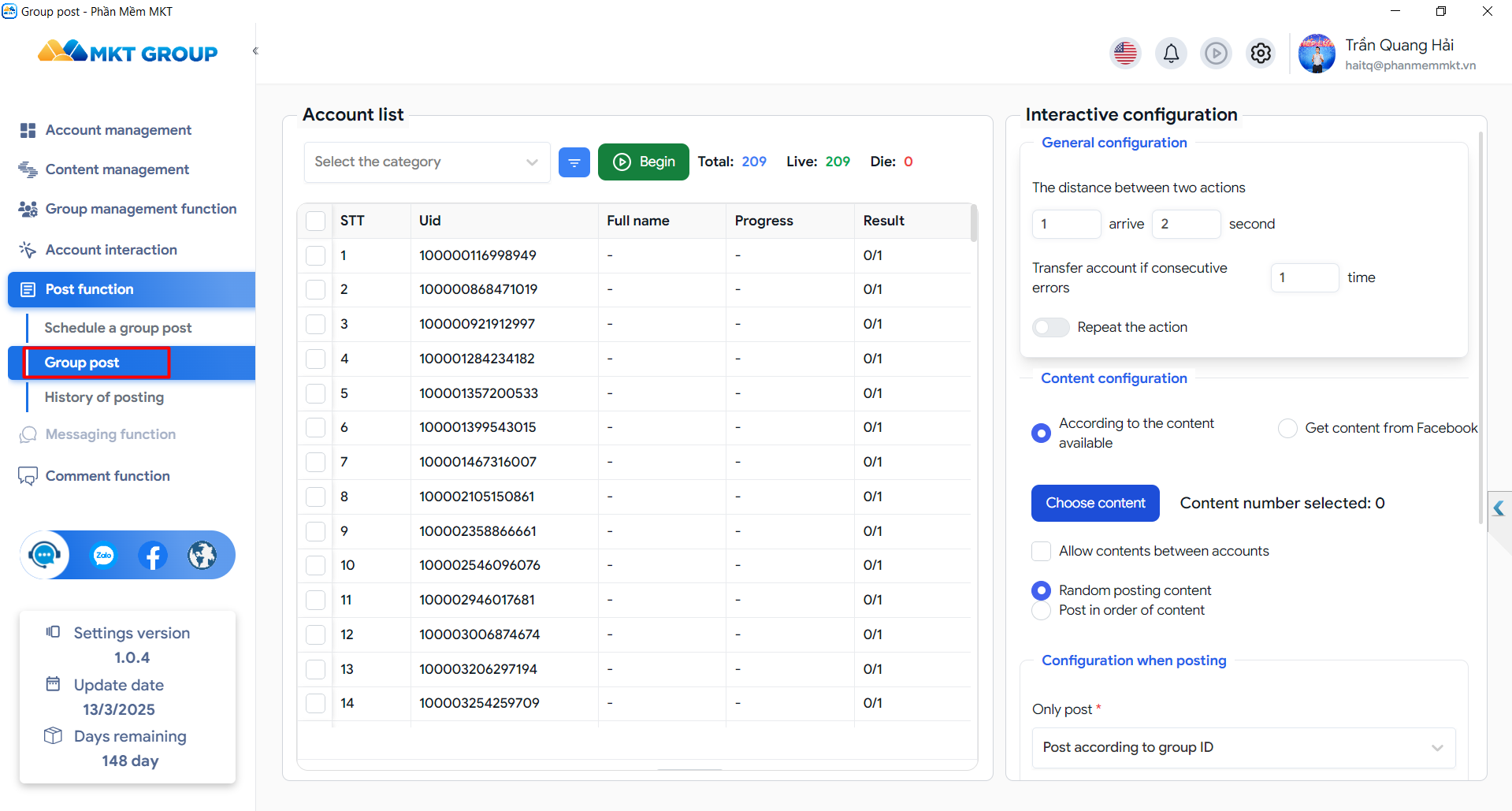
✅ Step 3: Select Start to begin mass group posting
📌 MKT Group helps businesses manage Facebook groups efficiently while increasing engagement and sales opportunities.
3. MKT Care – Facebook Auto-Posting & Engagement Software
MKT Care is a comprehensive social media automation tool that allows you to schedule, post, and engage with Facebook groups automatically.
Top Features of MKT Care:

- 🚀 Bulk Posting in Multiple Facebook Groups – Automate content distribution to multiple accounts.
- 🔄 Anti-Spam Content Spinning – Ensure posts remain unique across different groups.
- 📡 Livestream Sharing & Automated Reposting – Boost visibility by resharing posts across communities.
- 🎥 Unlimited Facebook Reels Posting – Automate Facebook Reels content to increase reach.
- 🔗 Advanced Account Management – Schedule posts, track engagement, and manage multiple accounts effortlessly.
How to Use MKT Care for Facebook Group Posting:
- ✅ Step 1: Log in to MKT Care → Navigate to Viral Marketing
- ✅ Step 2: Set up posting configurations → Choose group posting format
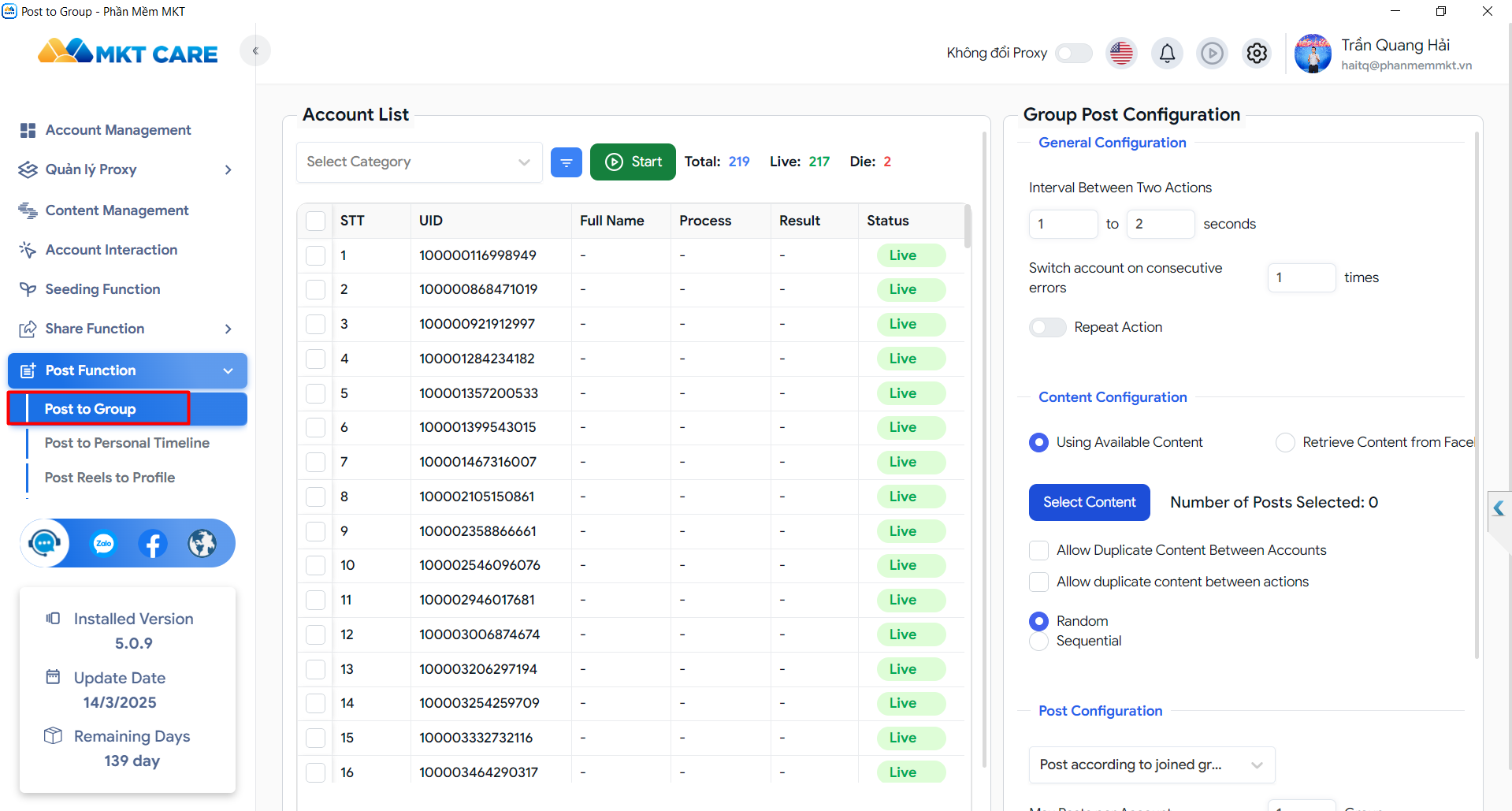
- ✅ Step 3: Select accounts and click Start,This is my new interface.
📌 MKT Care is the ultimate tool to automate Facebook marketing, maximize engagement, and increase organic reach!
Conclusion
Learning how to post in multiple Facebook groups at once is a game-changer for businesses, influencers, and marketers looking to scale their Facebook engagement.
Save Time – Automate your group posts and focus on other growth strategies. Boost Engagement – Increase brand visibility by reaching more Facebook users organically. Grow Your Business – Promote your products and services efficiently without high advertising costs. Start automating your Facebook group marketing today with MKT Software and take your social media strategy to the next level!
Register now: [SIGN UP HERE]
- Hotline: ADMIN : QUANG HẢI MKT : + 8439.2426.840
- Youtube : Quang Hai Software – Hai Tools Marketing
- Whatsapp : (+84) 39 2426840 – Quang Hải MKT
- Telegram : @tquanghaimkt
- Fanpage : mkt auto software